Mengenal Jamstack: Arsitektur Modern untuk Website Cepat

Pendahuluan
Jamstack telah merevolusi cara kita membangun modern web applications. Dengan fokus pada performance, security, dan developer experience, Jamstack menjadi pilihan populer untuk websites dari berbagai scale.
Mari kita eksplorasi apa itu Jamstack dan mengapa Anda harus consider menggunakannya.
Apa itu Jamstack?
JAM stands for:
- JavaScript - Dynamic functionality
- APIs - Backend services via APIs
- Markup - Pre-rendered static HTML
Core Philosophy:
Jamstack adalah architectural approach yang memisahkan frontend dan backend, di-serve sebagai static files dari CDN, dengan dynamic functionality melalui JavaScript dan APIs.
Traditional vs Jamstack Architecture
Traditional (Monolithic):
Browser → Web Server → Application Server → Database
         ← HTML + Data ←
Characteristics:
- Server-side rendering on each request
- Tightly coupled frontend dan backend
- Database queries untuk every page load
- Scaling challenges
Jamstack:
Build Time: Static Site Generator → Pre-rendered HTML
Runtime: Browser → CDN → Static Files
         JavaScript → APIs → Services
Characteristics:
- Pre-rendered at build time
- Decoupled frontend dan backend
- Served from CDN
- Scales automatically
Benefits of Jamstack
1. Performance
Lightning Fast:
- Pre-rendered HTML
- Served from CDN edge locations
- No database queries
- Minimal server processing
Metrics:
Traditional Site:
- TTFB: 500ms - 2s
- FCP: 1s - 3s
- LCP: 2s - 5s

Jamstack Site:
- TTFB: 50ms - 200ms
- FCP: 0.5s - 1s
- LCP: 1s - 2s
2. Security
Reduced Attack Surface:
- No server to hack
- No database to exploit
- No plugin vulnerabilities
- API keys server-side only
Built-in Protection:
- DDoS resistance (CDN)
- Automatic SSL
- No SQL injection
- No server-side code injection
3. Scalability
Automatic Scaling:
- CDN handles traffic
- No server capacity planning
- Consistent performance
- Global distribution
Cost Efficiency:
Traditional Hosting:
- Server: $50-500/month
- Database: $20-200/month
- CDN: $20-100/month
Total: $90-800/month

Jamstack Hosting:
- Netlify/Vercel: $0-20/month (starter)
- CDN: Included
- Builds: Included
Total: $0-20/month
4. Developer Experience
Modern Workflow:
- Git-based deployment
- Automated builds
- Preview deployments
- Easy rollbacks
Better Productivity:
- Component-based development
- Hot module reloading
- Type safety (TypeScript)
- Modern tooling
Jamstack Technologies
Static Site Generators
Next.js:
// pages/index.js
export async function getStaticProps() {
  const posts = await fetch('https://api.example.com/posts')
    .then(res => res.json());

  return {
    props: { posts },
    revalidate: 60 // ISR: Revalidate every 60s
  };
}

export default function Home({ posts }) {
  return (
    <div>
      {posts.map(post => (
        <article key={post.id}>{post.title}</article>
      ))}
    </div>
  );
}
Astro:
---
// src/pages/index.astro
const posts = await fetch('https://api.example.com/posts')
  .then(res => res.json());
---

<html>
  <body>
    {posts.map(post => (
      <article>{post.title}</article>
    ))}
  </body>
</html>
Gatsby:
// gatsby-config.js
module.exports = {
  plugins: [
    {
      resolve: 'gatsby-source-contentful',
      options: {
        spaceId: process.env.CONTENTFUL_SPACE_ID,
        accessToken: process.env.CONTENTFUL_ACCESS_TOKEN,
      },
    },
  ],
};
Headless CMS
Popular Options:
- Contentful - API-first CMS
- Sanity - Customizable content platform
- Strapi - Open-source headless CMS
- Ghost - Modern publishing platform
- Prismic - Developer-friendly CMS
Hosting Platforms
Netlify:
# netlify.toml
[build]
  command = "npm run build"
  publish = "dist"

[[redirects]]
  from = "/*"
  to = "/index.html"
  status = 200
Vercel:
{
  "buildCommand": "npm run build",
  "outputDirectory": "dist",
  "framework": "astro"
}
Building a Jamstack Site
Step-by-Step Example (Next.js)
1. Initialize Project:
npx create-next-app@latest my-jamstack-site
cd my-jamstack-site
2. Create API Integration:
// lib/api.js
export async function getAllPosts() {
  const response = await fetch('https://api.example.com/posts');
  return response.json();
}

export async function getPostBySlug(slug) {
  const response = await fetch(`https://api.example.com/posts/${slug}`);
  return response.json();
}
3. Generate Static Pages:
// pages/blog/[slug].js
export async function getStaticPaths() {
  const posts = await getAllPosts();

  return {
    paths: posts.map(post => ({
      params: { slug: post.slug }
    })),
    fallback: false
  };
}

export async function getStaticProps({ params }) {
  const post = await getPostBySlug(params.slug);

  return {
    props: { post }
  };
}

export default function Post({ post }) {
  return (
    <article>
      <h1>{post.title}</h1>
      <div dangerouslySetInnerHTML={{ __html: post.content }} />
    </article>
  );
}
4. Deploy:
# Deploy to Vercel
vercel

# Or deploy to Netlify
netlify deploy --prod
Dynamic Functionality in Jamstack
Client-Side JavaScript
React State Management:
import { useState, useEffect } from 'react';

export default function Comments({ postId }) {
  const [comments, setComments] = useState([]);

  useEffect(() => {
    fetch(`/api/comments/${postId}`)
      .then(res => res.json())
      .then(setComments);
  }, [postId]);

  return (
    <div>
      {comments.map(comment => (
        <div key={comment.id}>{comment.text}</div>
      ))}
    </div>
  );
}
Serverless Functions
API Routes (Next.js):
// pages/api/submit-form.js
export default async function handler(req, res) {
  if (req.method !== 'POST') {
    return res.status(405).json({ error: 'Method not allowed' });
  }

  const { name, email, message } = req.body;

  // Send to email service
  await sendEmail({
    to: 'contact@example.com',
    subject: 'New Contact Form Submission',
    body: `Name: ${name}\nEmail: ${email}\nMessage: ${message}`
  });

  res.status(200).json({ success: true });
}
Third-Party Services
Authentication (Auth0):
import { useUser } from '@auth0/nextjs-auth0';

export default function Profile() {
  const { user, error, isLoading } = useUser();

  if (isLoading) return <div>Loading...</div>;
  if (error) return <div>{error.message}</div>;

  return user ? (
    <div>Welcome {user.name}!</div>
  ) : (
    <a href="/api/auth/login">Login</a>
  );
}
When to Use Jamstack
Perfect For:
✅ Marketing Websites
- Fast loading critical
- Content doesn’t change frequently
- Global audience
✅ Blogs & Documentation
- Markdown-based content
- Build time generation
- Static content
✅ E-commerce (with headless):
- Product catalog
- Shopping cart (client-side)
- Checkout via API
✅ Landing Pages:
- Maximum performance
- SEO important
- Simple functionality
Not Ideal For:
❌ Real-time Applications:
- Live chat
- Collaborative editing
- Real-time dashboards
❌ Highly Dynamic Content:
- Social media feeds
- Live sports scores
- Stock tickers
❌ User-Generated Content:
- Forums
- Social networks
- Comments (without client-side/API)
Jamstack Best Practices
1. Incremental Static Regeneration
// Next.js ISR
export async function getStaticProps() {
  const data = await fetchData();

  return {
    props: { data },
    revalidate: 60 // Rebuild page every 60 seconds
  };
}
2. Image Optimization
import Image from 'next/image';

export default function Hero() {
  return (
    <Image
      src="/hero.jpg"
      alt="Hero"
      width={1200}
      height={600}
      priority
    />
  );
}
3. Edge Functions
// Vercel Edge Functions
export const config = {
  runtime: 'edge',
};

export default function handler(req) {
  return new Response('Hello from Edge!', {
    status: 200,
  });
}
Kesimpulan
Jamstack represents modern approach to building web applications yang prioritize performance, security, dan developer experience.
Key Takeaways:
Pros:
- ⚡ Blazing fast performance
- 🔒 Enhanced security
- 📈 Easy scaling
- 💰 Cost-effective
- 😊 Great developer experience
Cons:
- Build times (untuk large sites)
- Not ideal untuk real-time apps
- Learning curve untuk traditional devs
Is Jamstack Right for You?
Ask yourself:
- Is performance critical? ✅
- Content mostly static? ✅
- Need global distribution? ✅
- Want better security? ✅
- Limited budget? ✅
If you answered yes to most questions, Jamstack is probably a good fit!
Ready to Go Jamstack?
Tim kami experienced dalam building modern Jamstack applications. Contact us untuk discuss your project!
Artikel terkait:
- Panduan Lengkap Membuat Website Profesional
- Optimasi Performa Website
- React vs Vue.js: Perbandingan
Bagikan Artikel:
Artikel Terkait

Optimasi Performa Website: Panduan Lengkap dari A sampai Z
Teknik-teknik optimasi website mulai dari image compression, lazy loading, caching, hingga CDN implementation.
Headless CMS: Solusi Modern untuk Manajemen Konten di 2026
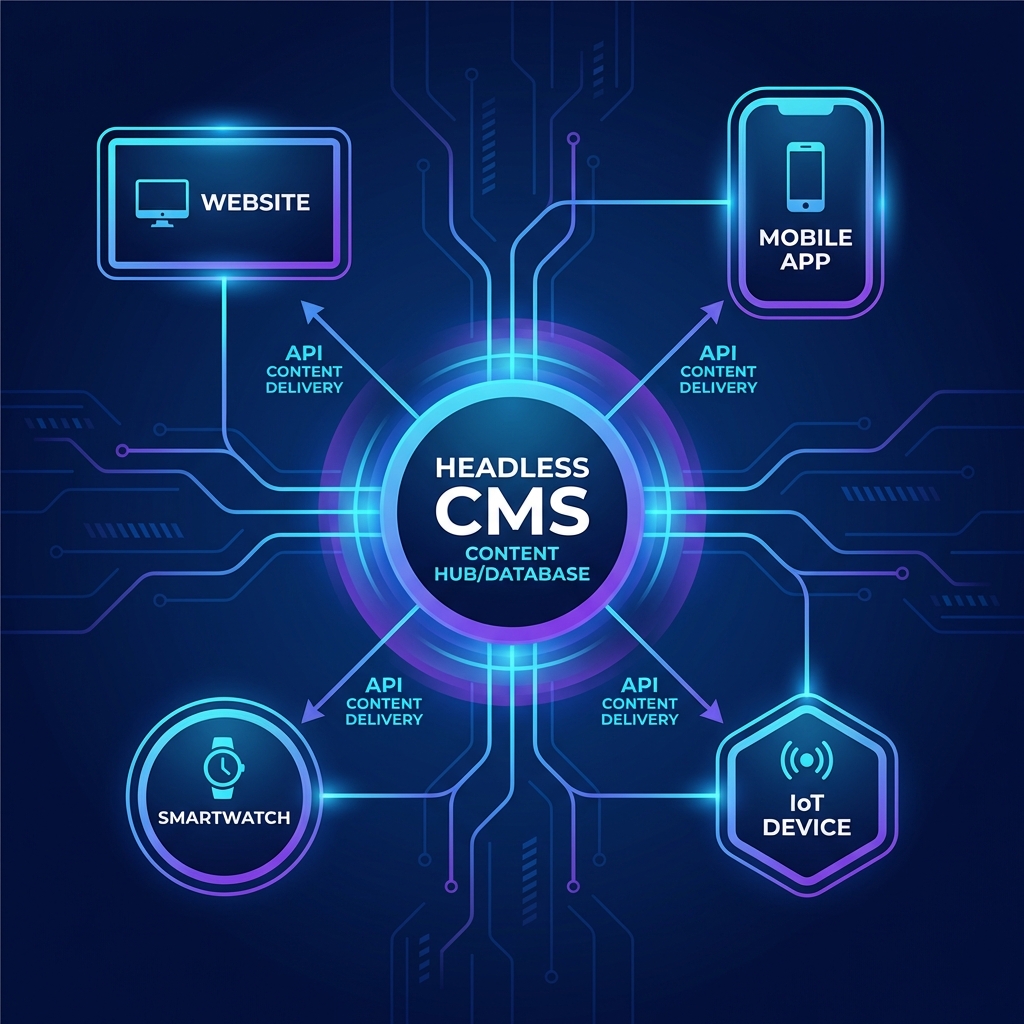
Pelajari apa itu Headless CMS, perbandingan platform populer seperti Strapi, Sanity, dan Payload CMS, serta kapan harus menggunakannya.

10 Tips SEO untuk Meningkatkan Ranking Website Anda
Strategi SEO terbukti yang dapat meningkatkan visibility website Anda di mesin pencari Google dan mendatangkan traffic organik.